
Practical SEO Project in 30 days.
An SEO audit, keyword map, 10 optimised pages, a Search Console setup and a before-and-after SEO report for one real website. Recorded lessons, daily tasks and live mentor reviews, fully online.
Learn a step, build it, get it reviewed
You do not watch 50 hours of videos and build something at the end. Every lesson is followed by a task on your own project, so your project grows every day.
- 1
Watch
A short recorded lesson, 10 to 25 minutes, on exactly what today needs.
- 2
Build
Do the task on your own project, usually 1 to 2 hours.
- 3
Submit
Send your project link or screenshot, and where you got stuck.
- 4
Live Project Review
In the live session, a mentor looks at your work on screen share.
- 5
Approved
Your milestone is approved, or you get clear fixes to make first.
What you build, step by step
Each step ends with a milestone you submit. Your mentor approves it or tells you exactly what to fix.
- Days 1 to 7
Week 1: Audit and research
- Choose or get assigned a real website
- Site audit and competitor research
- Keyword research, search intent and keyword mapping
Milestone: SEO audit sheet
- Days 8 to 14
Week 2: On-page SEO
- Titles, meta descriptions and headings
- Content, URLs, internal links and images
Milestone: 10 optimised pages
- Days 15 to 21
Week 3: Technical SEO and Search Console
- Indexing, sitemap, robots.txt and canonical tags
- Redirects, 404 errors and schema basics
- Core Web Vitals
Milestone: Technical fixes list
- Days 22 to 28
Week 4: Content and reporting
- Content briefs and blog optimisation
- Link-building basics
- Reading Search Console and writing a monthly SEO report
Milestone: Monthly SEO report
- Days 29 and 30
Report and present
- Before-and-after SEO report
- Present your work on a live call
Milestone: Certificate
Your final project checklist
You get this checklist on day 1, so there are no surprises at the end.
SEO takes time to show in Google, so this training does not promise rankings. You learn to do the work and to measure it.
- SEO audit sheet
- Keyword map for the website
- 10 optimised pages
- Search Console set up and read
- Technical fixes list
- Monthly SEO report
- Before-and-after report
What you will be able to do
This whole track is SEO, on one real website: no made-up keywords, no theory-only lessons.
- SEO audit
- Keyword research and mapping
- On-page SEO
- Technical SEO
- Google Search Console
- SEO reporting
Tools you will use
- Google Search Console
- Google Analytics
- PageSpeed Insights
- Google Sheets for audits and keyword maps
- An SEO plugin (Rank Math or Yoast)
- Free keyword research tools
Three live reviews a week, the rest at your own pace
Lessons are recorded, so you study when it suits you: before college, after work or late at night. The live reviews keep you on track. Exact days and times are shared with your batch.
- MonLive Project ReviewKick-off: this week’s goal, concepts and planning.
- TueLessons and taskShort recorded lessons, then build on your project.
- WedLessons and taskKeep building. Submit your milestone link.
- ThuLive Project ReviewScreen-share review of your submissions and doubts.
- FriLessons and taskFix what was reviewed, start the next milestone.
- SatLive Project ReviewReview, corrections and the next week’s milestone.
- SunCatch-up dayNo new lessons. Finish anything pending.
Live online session, 60 to 75 minutes, recorded Recorded lessons and your task, about 2 hours
Not a doubt session. A review of your actual work.
Three times a week, 60 to 75 minutes, online. You share your screen, the mentor inspects your website, explains what is wrong and why, and sets your next milestone. Missed one? Watch the recording and send your questions.
- 10 minutes: common mistakes from this week’s submissions
- 20 minutes: a concept or live demo
- 30 minutes: students share screens and get reviewed
- 10 minutes: the next milestone
How mentor feedback looks
Your mentor will not fix your website for you. You learn by making the fix yourself.
- Issue
- Homepage spacing is uneven.
- Why it matters
- On a phone, the call button falls below the first screen.
- Fix
- Reduce the hero’s top and bottom padding, then check again at 375 px width.
- Status
- Revision needed
Not startedSubmittedRevision neededApproved
Proof of work, not just a certificate
A finished project
Real optimisation work on a real website or business profile, with the data to show what you changed.
A case study
The problem, your solution, tools, screenshots and results, written up for your portfolio.
An SEO report
A before-and-after report with real data, the kind clients ask for every month.
Training certificate
An industrial training certificate from AMJAM Solutions once your project is approved and presented.
College project report template
A ready structure for students: objective, technology, requirements, screenshots, testing, results, conclusion and future scope.
How to sell the skill
A lesson on quoting, scope, advance payment, revisions and handover, so you can take client work.
Skills the real work needs
AI in your workflow
Use AI to draft sitemaps, page content, FAQs, product descriptions and meta descriptions, and to group keywords. Then check and rewrite every line yourself: AI drafts, you decide.
Working with clients
How to take a brief, write a quotation and scope, ask for an advance, limit revisions and hand over the finished work. The 30-day tracks include a mock client briefing.
Staying on track
A milestone checklist from day 1, a reminder on WhatsApp when a new milestone opens, and a review three times a week, so you finish instead of stopping halfway.
A project report your college will accept
Writing the industrial training report is often harder than the training. You get a ready template with every chapter colleges usually ask for. You fill it with your own project, screenshots and results, and your mentor checks it before you submit.
Check your college’s own format too: we help you adjust the template to it.
Chapters in the template
- Title page
- Training certificate
- Declaration
- Acknowledgement
- About the organisation
- Objective of the project
- Technology used
- Requirement analysis
- Audit and keyword map
- Screenshots
- Implementation
- Testing
- Results and measurement
- Conclusion
- Future scope
Your certificate means your project is finished
Watching videos does not earn the certificate. You get it when at least 80% of your milestones are approved and you present your project on the final live call.
The certificate says you completed project-based industrial training with AMJAM Solutions. It is not an internship or job offer, and we never claim it is.
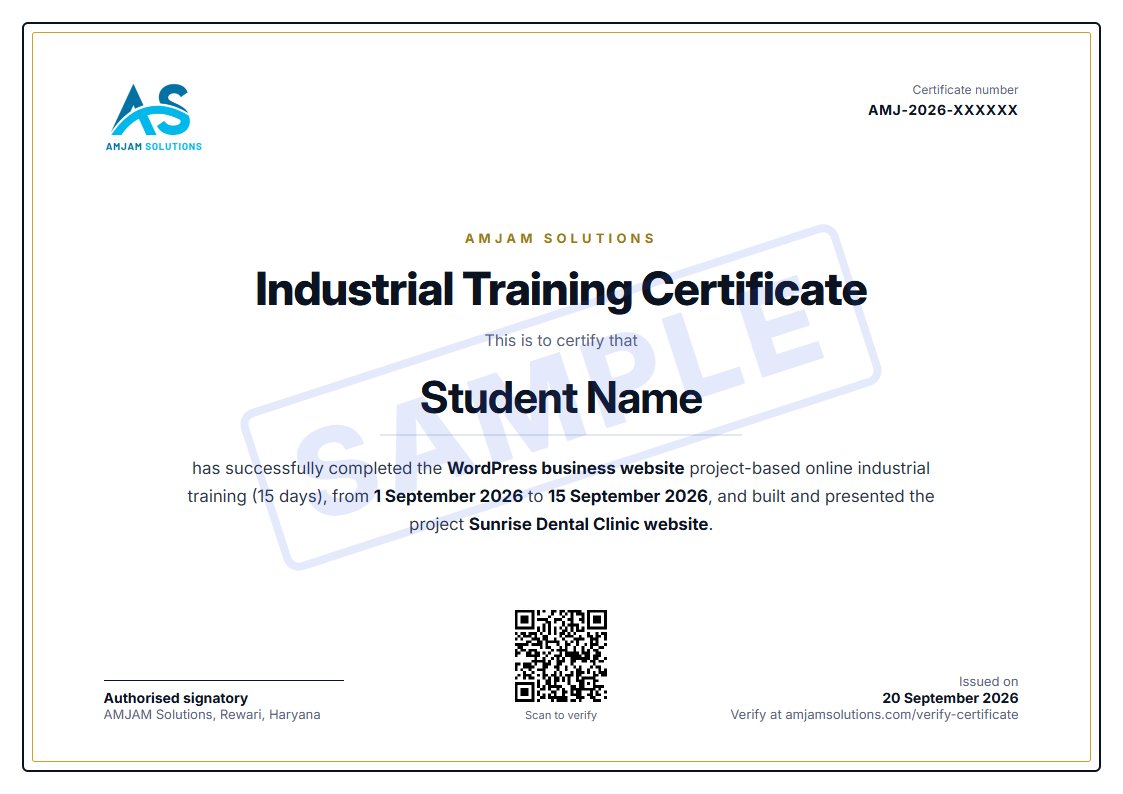
Every certificate has a unique number and a QR code. Colleges and employers can check it is genuine on our certificate verification page.
What your mentor checks in the final review
- Audit and research
- Optimisation work
- Technical fixes
- Measurement and Search Console
- Report quality
- Final presentation
No exams and no marks. Your mentor reviews the finished project with you and tells you exactly what is good and what to improve.
Stuck on one WordPress problem? Book a one-to-one consultation.
Up to 45 minutes on Google Meet with screen share. Fix an error, set up a plugin or WooCommerce, or get your website reviewed.
Prefer a different project?
Apply for the next batch
We call or WhatsApp you within one working day with the batch date, the fee and what you need before day 1.
Thank you for applying
We will call or WhatsApp you within one working day with the next batch date, the fee and what you need before day 1.
Want a head start? Join one of our free live workshops.
Join our WhatsApp channel for batch updates